
Mastering Digital Video: Formats, Codecs & Containers
Better understand how digital video works
19. April 2024 by Bianca Palmer

Understanding how formats, codecs, and containers work together can feel like solving a complex puzzle. In this article, we explain these essential parts to make the world of digital video.
Formats, Codecs & Containers
Digital video files can have many different file extensions, from the common MP4 to the flexible MOV and the robust MXF. However, the identity of a digital video format is not limited to its file extension.
Unlike image formats, where a JPG file is simply an image in JPEG format, digital video formats are more complex. They combine a video codec and a container.
Understanding Codecs and Containers
At the core of every digital video format is the codec which encodes and decodes video data. Short for 'coder-decoder', a codec uses algorithms to compress and decompress video streams for efficient storage and transfer.
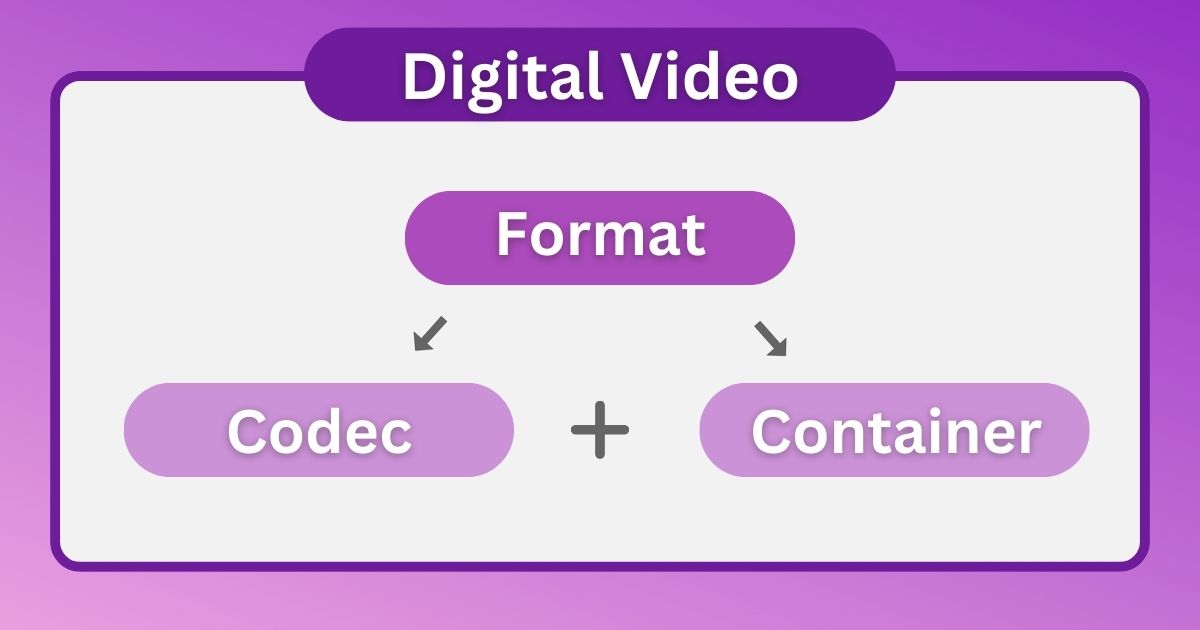
Working together with codecs, containers store video streams and related content in one file. You can think of containers as digital boxes for video data and metadata that help keep compatibility across devices and platforms.
Most Common Codecs and Containers
Today, there are many codecs and containers in use. Common codecs include:
- H.264 (AVC)
- H.265 (HEVC)
- H.262 (MPEG-2 Part 2): Widely used in broadcast and DVD standards.
- M-JPEG
- ProRes
- DNxHD & DN&HR
Common containers include:
- MP4, AVI, MOV, MXF, 3DP & 3G2, MTS, M2TS & TS
Codecs
You can think of digital video as a sequence of still frames, similar to a strip of movie film. At the center of this process is the codec. A codec digitally encodes and decodes these frames.
Codecs use algorithms to compress video data and reduce file size. This compression, often done with intra-frame and interframe techniques, is essential for efficient storage and transfer.
Intra-frame compression: Each frame is compressed on its own to keep quality and easy access. Common intra-frame codecs are MJPEG, ProRes, DNxHD, and DNxHR. They focus on quality and easy editing, which is useful in video production.
Interframe compression: Keyframes store full images, while other frames only store changes between them. Interframe compression creates smaller files but can reduce quality and make editing harder. Common interframe codecs include H.264 (AVC), H.265 (HEVC), and H.262, each balancing quality and efficiency in a different way.
Digital Containers
Similar to how a box protects its contents, digital containers hold video streams, audio tracks, subtitles, and metadata in a single file.
MP4, AVI, and MOV are among the most common containers and work on many platforms and devices.
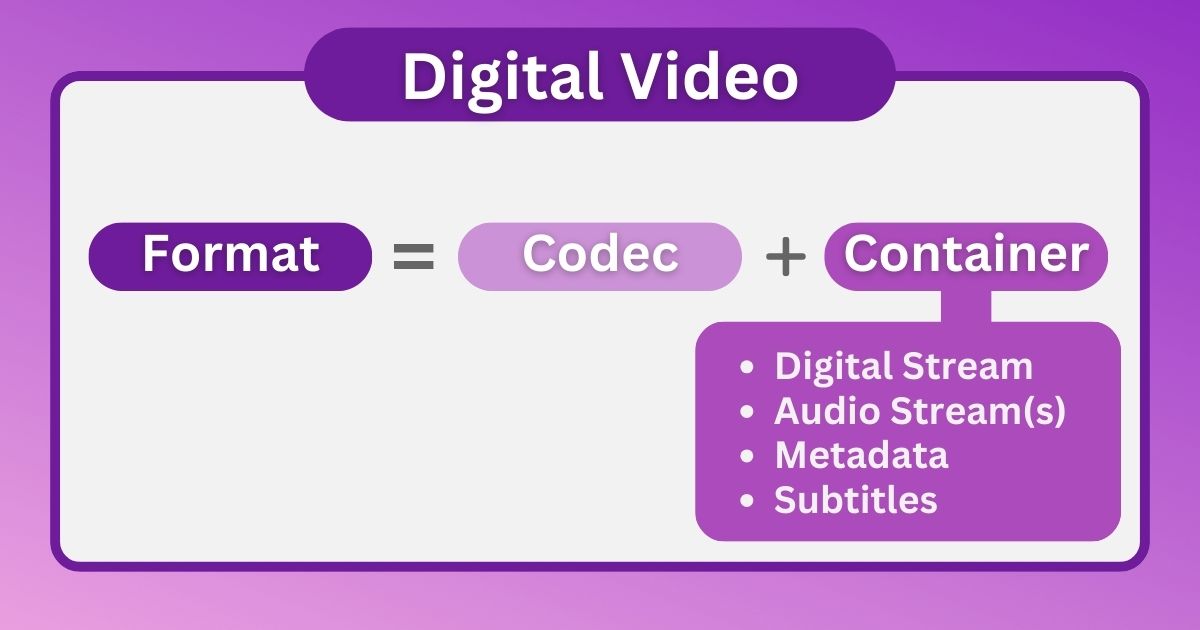
MP4: Defined by the Motion Picture Experts Group (MPEG), MP4 is a flexible container used in both professional and consumer workflows.
AVI: Developed by Microsoft, AVI (Audio Video Interleave) is a long-used digital video container known for its simplicity and wide support.
MOV: Developed by Apple, MOV (QuickTime Movie) is a flexible container used for many multimedia workflows.
Beyond the common options, containers like MXF, 3GP & 3G2, MTS, and M2TS & TS are used for more specific needs in professional video production and distribution.
Video Formats: Where Codecs Meet Containers
Codecs and containers combine to create many different video formats. From recording to final delivery, these formats support many different use cases.
Some examples for recording:
AVCHD: Popular with consumers, AVCHD combines the H.264 (interframe) codec with MTS or M2TS containers to provide high-definition video in a compact format.
XAVC: Sony's XAVC formats use the H.264 codec in MXF or MP4 containers to provide high-quality video for professional workflows.
XF-AVC: Canon's XF-AVC format follows this approach, combining the H.264 codec with MXF containers for easy integration into professional video production workflows.
Example Digital Video Formats
Digital video formats often do not have specific names. Instead, they are a combination of codecs and containers.
DSLRs, For instance, DSLRs often use H.264 or H.265 codecs within MP4 or MOV containers, capturing video without a clearly named format.
Similarly, cameras using the ProRes codec typically store video in MOV containers, while DNxHD and DNxHR codecs are usually found in MXF or MOV files.
Videos shot on smartphones also do not have a named format. They are usually encoded with an H.264 or H.265 codec and stored in a 3GP, 3G2, or MP4 container on an Android device, or in a MOV container on an iPhone.
Digital Video Delivery
For delivering final digital video files, the situation is similar. We often do not use specific format names.
H.264 and H.265 codecs are most common within MP4 or MOV containers and are widely used for consumer content. Exporting your video with the H.264 codec in an MP4 container ensures broad compatibility and is the preferred upload format for platforms like YouTube.
Professional delivery of final video files usually uses an MXF container with codecs such as ProRes, DNxHD, and DNxHR. Additionally, Panasonic's AVC-Intra codec is also common, especially for meeting broadcast standards.
In Conclusion
For nearly a century, 35mm film was the standard choice for filmmakers seeking stability and wide acceptance. While technically a container format due to its flexible nature, 35mm film was highly versatile. Today, however, the situation has changed significantly, with digital video now dominating online platforms, television, and cinemas.
As described in this blog post, there is a wide range of codecs and containers that create many different digital video formats. Choosing the right format for shooting, editing, delivery, and archiving can be difficult. We hope this overview has offered useful guidance for working with digital video formats.